
Bidders now have the option to pay auction invoices online These payments will go directly to the affiliate managing the auction through the payment processor they have chosen (Square or Merchant/Paytrace).
Bidders are expected to pick up and remove their items during the scheduled removal dates unless other arrangements have been made, this is simply an alternative to paying in person.
This quick tutorial will explain the online payment process that bidders/affiliates can expect using Square:
1. After the auction has closed, winning bidders will see the ability to initiate payment from the Your Invoices section of the bidder dashboard. The button shown to initiate payment will change depending on which payment processor the affiliate has set up.
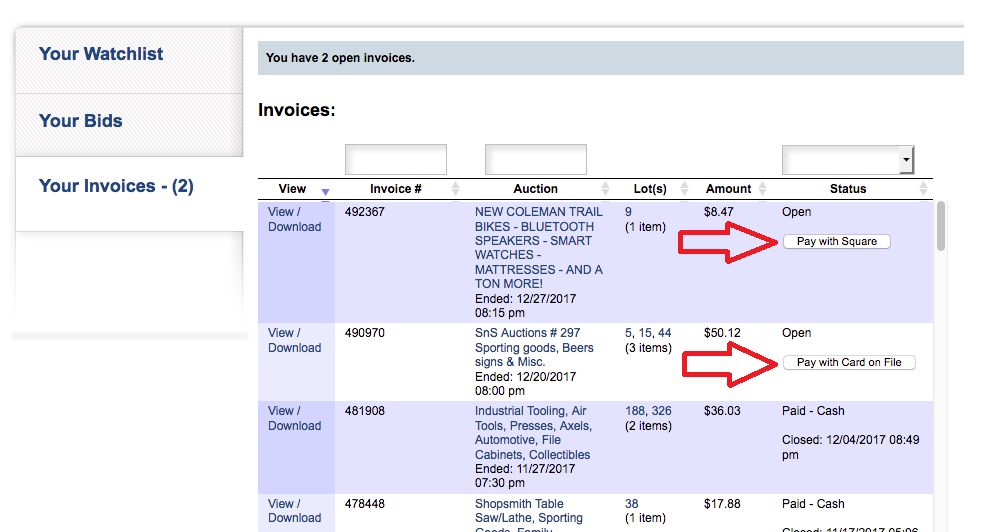
2. Upon clicking the button to initiate payment, the bidder will be taken to a pre-checkout page to view their invoice and total amount due.
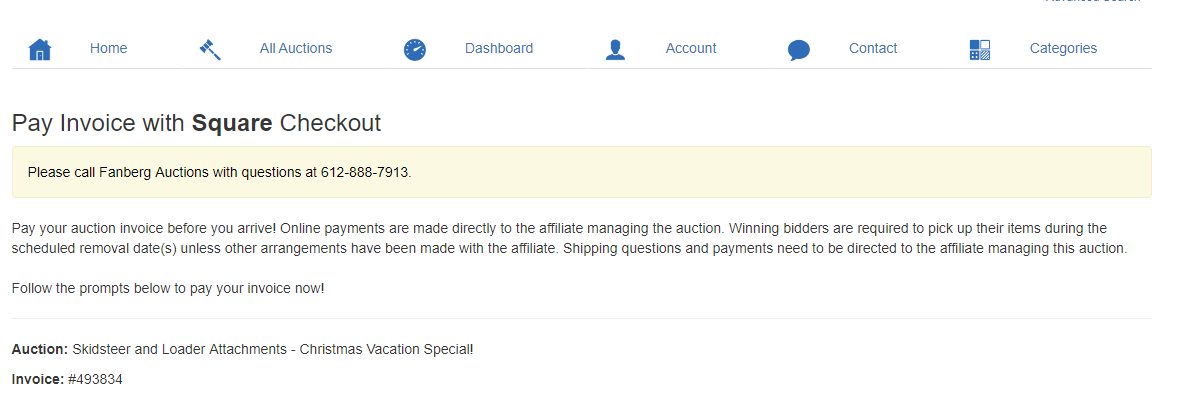
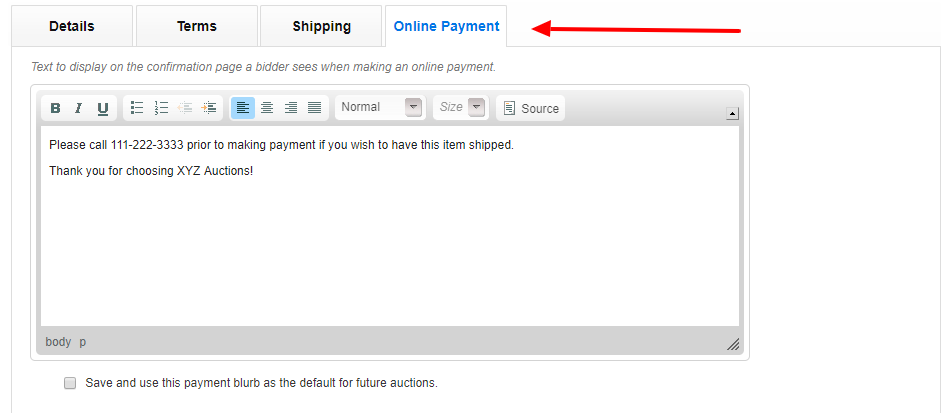
2-A. This pre-checkout page allows affiliates to relay any messages to bidders prior to making payment. (Examples: Call 111-111-1111 prior to paying if shipping is needed. An appointment is required during the removal date. Etc.) Affiliates can enter these notices in the Online Payment section of the Edit Auction page.
3. After clicking "Proceed" on the pre-checkout page, the bidder will be taken to a secure Square page to enter and verify credit card information.
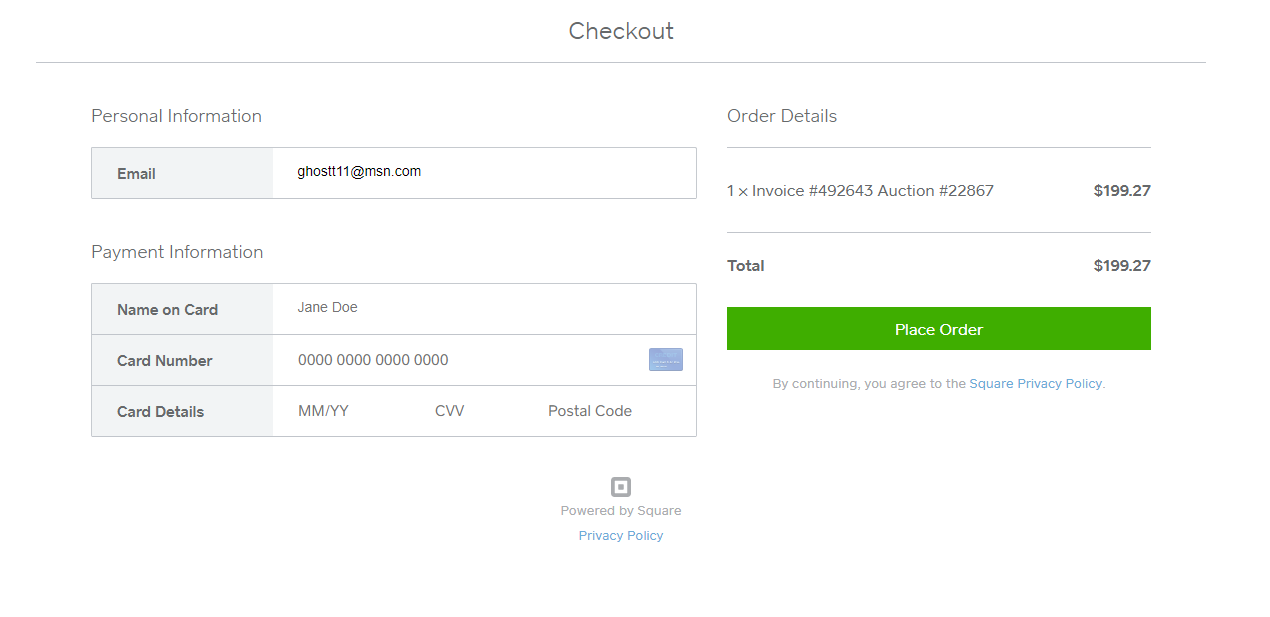
4. When the bidder clicks "Place Order" the payment will be submitted to the affiliate and the bidder will be alerted that the payment was successful. Bidders will be alerted of any input errors on the checkout page and asked to re-enter the information.
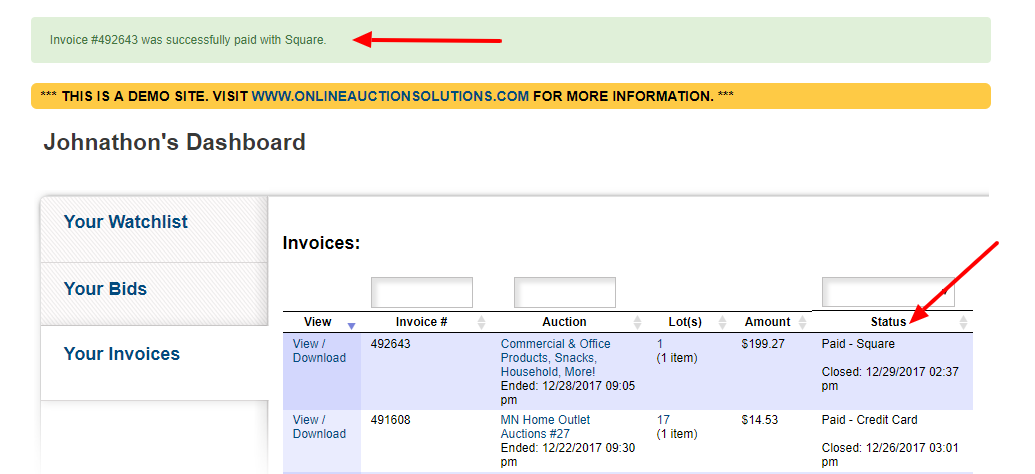
5. Upon payment, the invoice will be processed on the affiliate invoice list and updated within the system. This will alert affiliates that the invoice has been paid and display the confirmation number. You can also check your merchant account or Square account to verify that the payment has been received.

Comments
0 comments
Please sign in to leave a comment.