
Affiliates are now able to assign lots that are eligible for shipping. This is similar to the existing field for determining if a lot is eligible for online payment. The shipping field exists at the lot level and at the auction level.
IMPORTANT: The default will be that all items are eligible for shipping. You can turn this off on the item level or at the entire auction level if shipping is not available. Please ensure that your future auctions/items are accurately assigned if shipping is available.
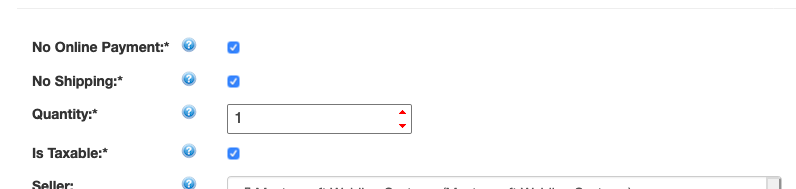
Lot level shipping box (found on the Edit Lot page):
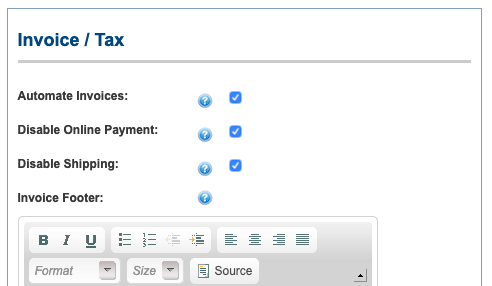
Auction Level shipping box (found on the Edit Auction page):
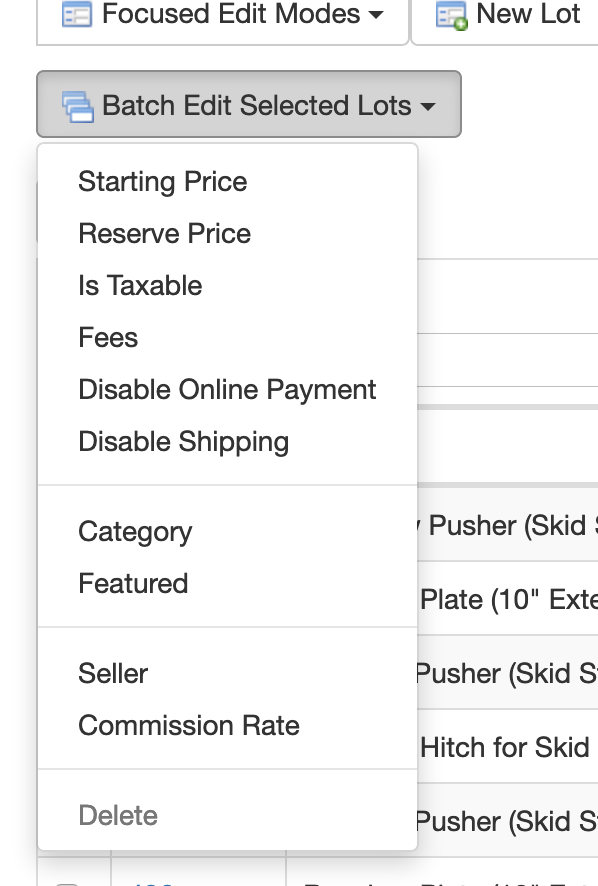
The lot list provides a batch edit option for disabling shipping on specific items:
Why are you doing this?
To help you! Soon the software will leverage this data during the ‘checkout’ process for an invoice.
- This relates to enhancements we are making to better support collecting and tracking local sales taxes when shipping.
- This will also help us improve communications and allow bidders to indicate to an affiliate that they wish to have an item shipped.
- We will also be able to provide a visual cue to bidders that shipping is available when browsing lots (we will do the same with online payment options).
Again - every auction will start with a default that shipping is enabled. If that is not the case, you will need to disable shipping on the lot level or auction level as necessary.
We need to front load the data before we can do anything else, so, for now, the only real change is on the lot and auction create/edit pages with the addition of this field.
Please email affiliateservices@k-bidmail.com with any questions or feedback.
Comments
0 comments
Please sign in to leave a comment.