

Shipping is an important part of the online auction process and has become expected from many buyers (thanks, Amazon). This page will provide you with some tips and FAQ's for shipping on K-BID.com.
Shipping is challenging with online auctions as most of the work occurs after the auction. We do not know the weights of every item being sold or what size box they will need until after the auction. It's not feasible to front load this work if only 20% of items within an auction are going to be shipped. It's also not easy to provide a quote without weight, boxes, insurance information and the zip code of the potential buyer.
Therefore, we have to wait until after the auction has closed and the buyer has expressed interest in shipping an item.
Overview:
Clear shipping terms and expectations are extremely important. Providing clear instructions on the shipping tab (from the edit auction page) and reiterating them in the online payment notice (on the edit auction page) will go a long ways to prevent phone calls and emails regarding shipping.
- What should they do if they want shipping?
- Who do they contact? How do they contact them?
- What are the known handling fee's? What other charges can they expect?
- How often do you ship? Can they expect it in 3 days or 10 days?
- Who do you use for shipping? Do you ship internationally?
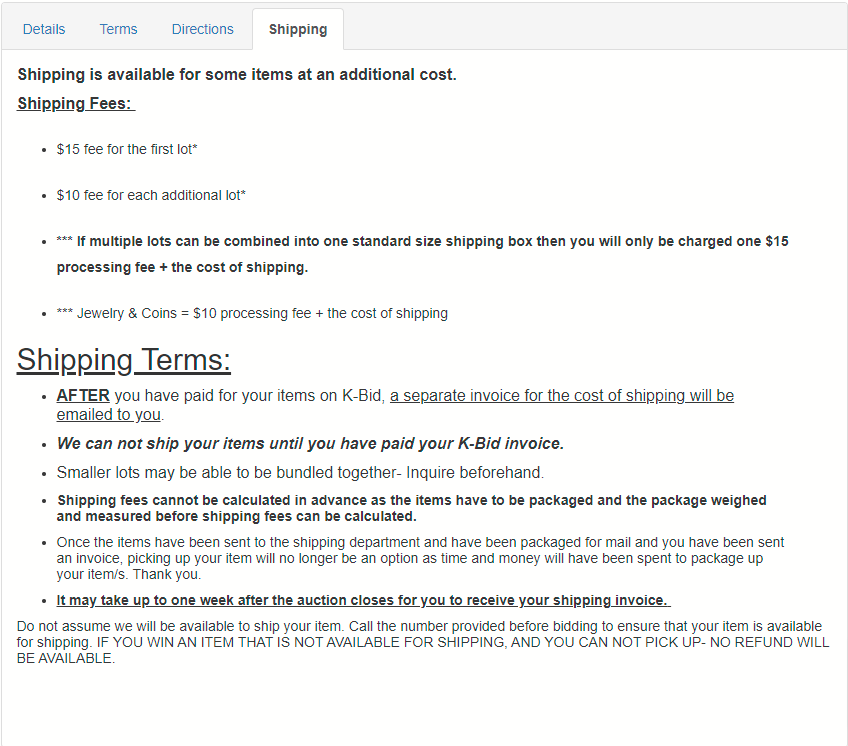
All of these questions can and should be answered clearly in your auction shipping terms. Here is a good example of clear shipping terms.
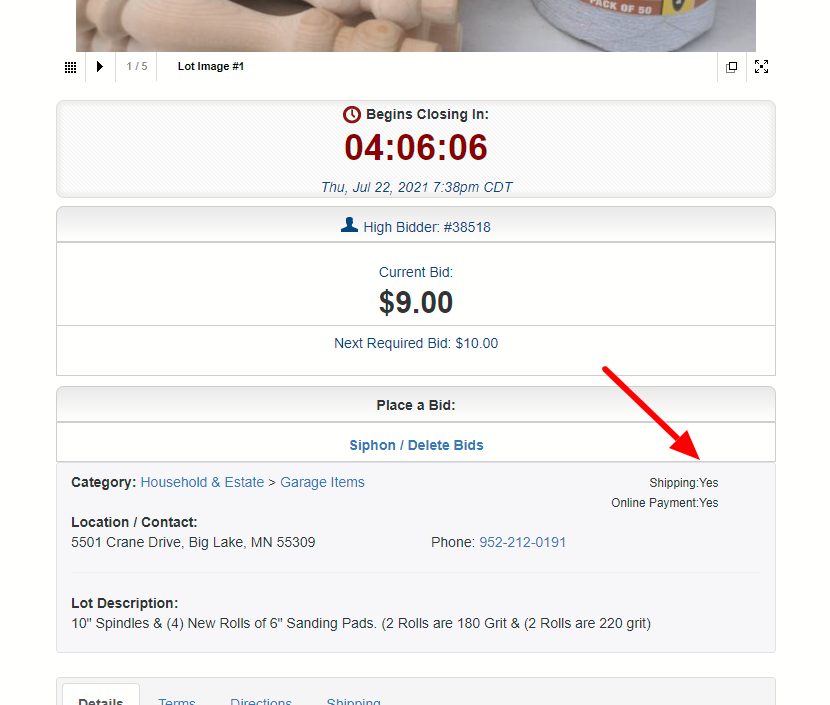
Designating lots as available for shipping.
Affiliates are required to designate whether an item is shippable or not. This can be done on the lot list or the edit item page.
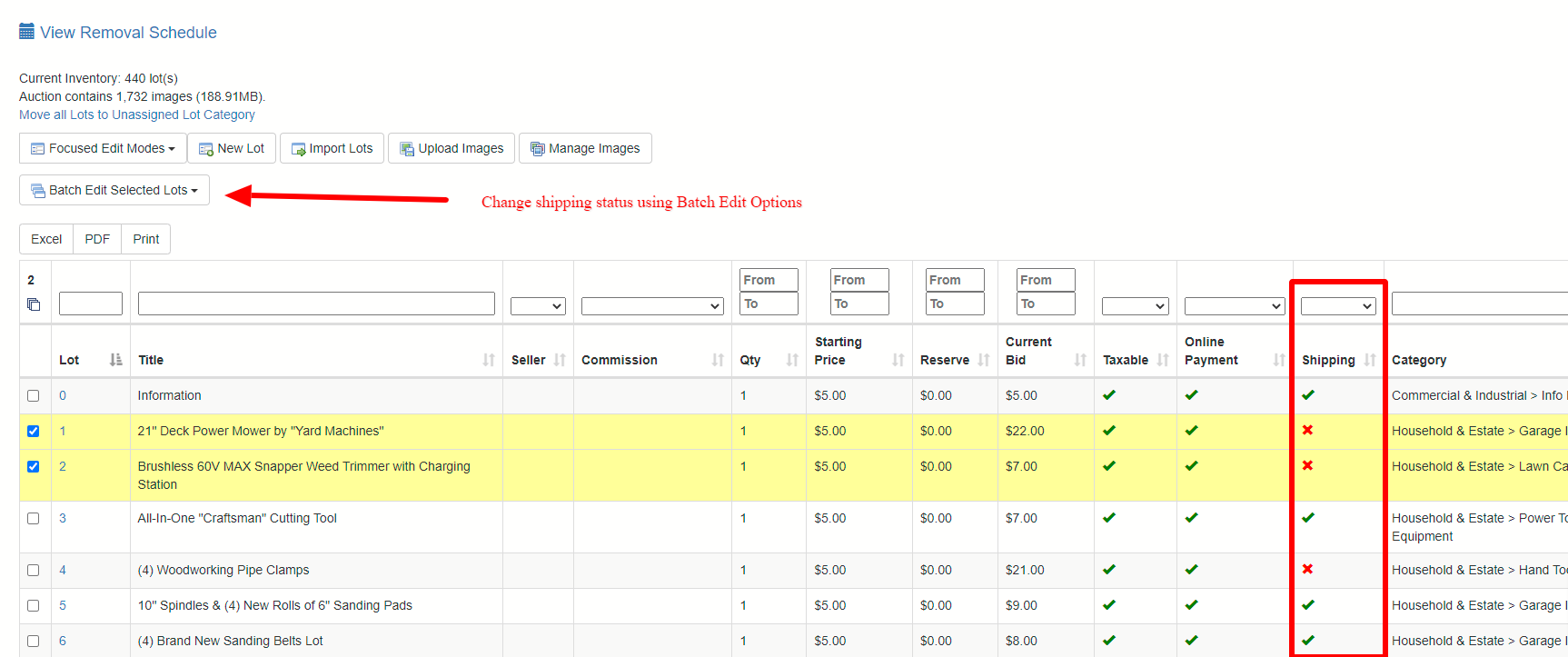
Buyers will see this at a glance when viewing auction items.
How to Manage Shipping invoices/payments.
There are 2 main ways to manage shipping within a K-BID auction.
1. Manage shipping invoices outside of K-BID. Manually sending separate invoices through Square (or another platform) to receive shipping payment from the buyer. Communicate in your shipping terms that the buyer should pay their K-BID invoice online first, then contact you for a separate shipping quote and invoice. You will manage all the reporting and tracking outside of K-BID.
2. Include shipping fee's on the bidder invoice. You are able to attach a fee on the item level of the bidder invoice. In this case, you will want to advise the bidder not to pay their invoice online until you've been able to get a quote and add the additional fee to the bidder invoice.
You can add the shipping and handling fee by editing a lot on the invoice that requires shipping. Navigate to the Edit Item page and scroll down to the fee section to add your shipping fees. You could also add handling as a separate charge.
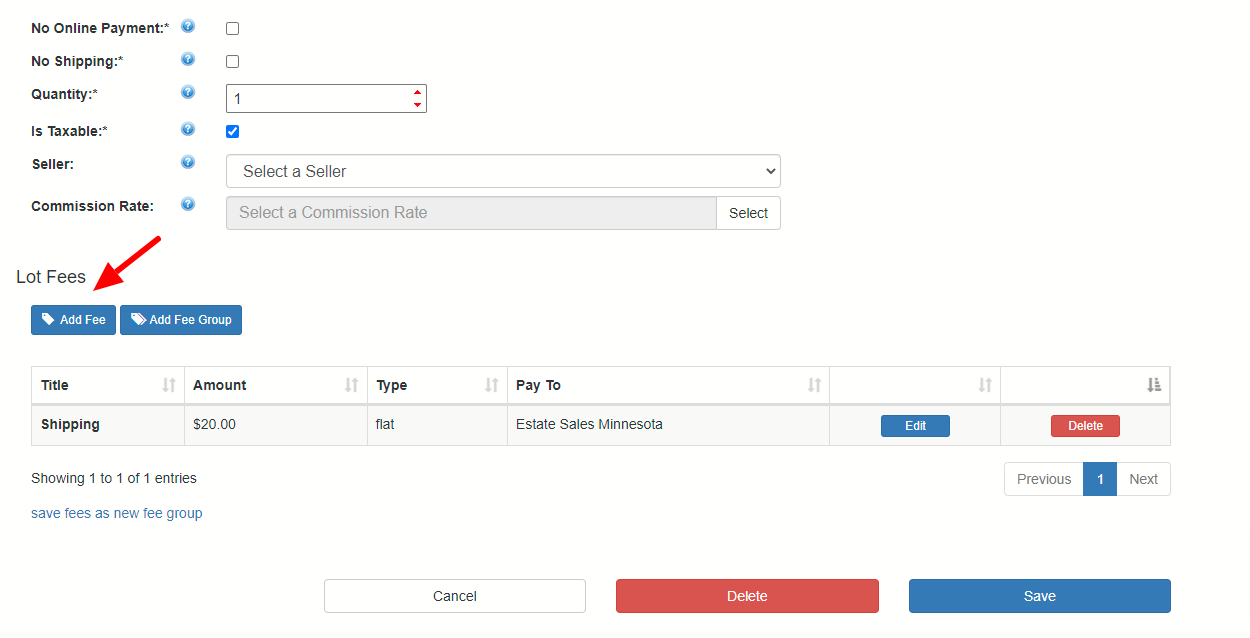
This will now show up on the bidder invoice and you can notify the buyer that the invoice is ready to pay online.
Tips:
- Consider including a dedicated email address for shipping questions and quotes. Include this on your shipping terms tab.
- Provide estimate ranges for shipping if possible in your terms. Ex. A 20x20 box under 30 pounds can ship for $15-$20 within a 300 mile radius of the auction location.
- Always include your standard handling fees in your terms.
- In many cases, shipping charges are taxable. Invoices on K-BID do NOT allow you to attach a sales tax rate on an invoice fee and this will need to be calculated manually.
- Sales Tax Rates can vary from state to state and in some cases require you to charge the rate of the buyers location.
- International shipping can be difficult. You may want to consider adding terms that international shipping is only available with prior approval.
Comments
0 comments
Please sign in to leave a comment.