
The Close Report is available to reconcile your in-hand auction proceeds against the processed invoice amount within K-BID software. Processed invoices (and therefore close reports) that are incorrect could cause you to pay incorrect amounts to your sellers, the Department of Revenue or K-BID.
K-BID BP billing is also based off of the information collected within processed invoices and the Close Report.
Close Reports can be accessed within an auction by selecting Invoices→Close Report.

Auction Revenue from Closed Invoices:
This report reflects the total amount received based on the processed invoice amounts. This data will only appear AFTER invoices have been processed.
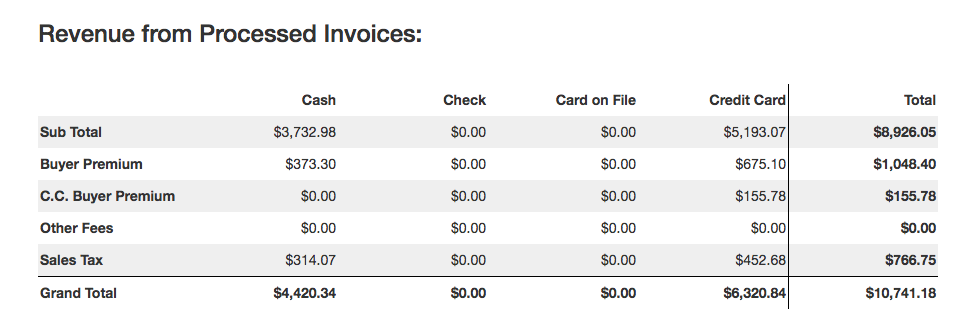
| Sub Total | Total bid prices received for each payment method. |
| Buyer's Premium |
10% BP collected for each payment method. This total amount will be payable to K-BID. |
| C.C. Buyer's Premium | 3% BP included on Non-Discounted invoices. |
| Other Fees | Fees added to an invoice for each payment method. |
| Sales Tax | Total sales tax collected for each payment method. |
| Grand Total | Total amount collected for each payment method and the grand total of the auction. This number should match the total amount received from the auction. |
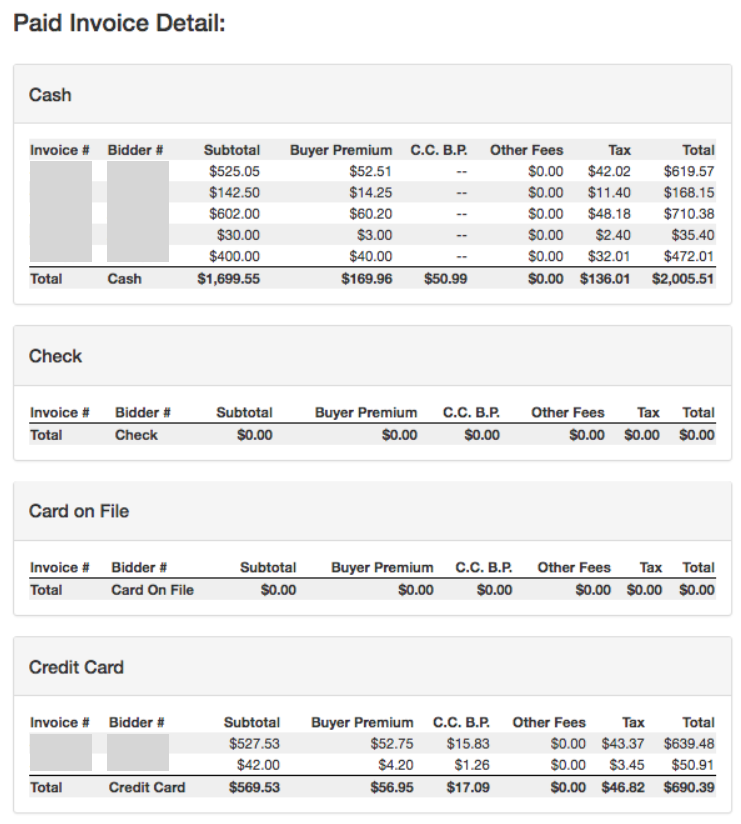
Invoice Detail:
Shows invoice detail based on payment type. The payment amount column will always match the grand total in the Auction Revenue from Closed Invoices report.
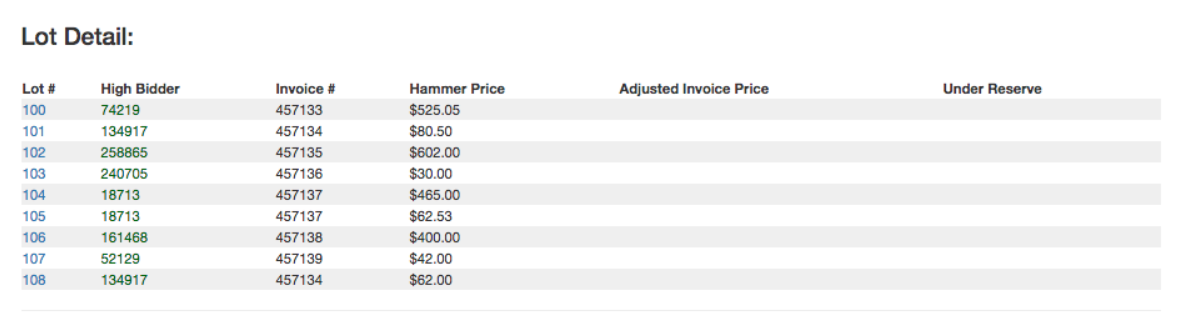
Lot Detail:
Enables you to browse by Lot# to find the Winning Bidder, Invoice # and Winning Bid Amount. If an invoice has been adjusted from the closing bid price, the amount will be reflected in the Adjusted Invoice Amount column.
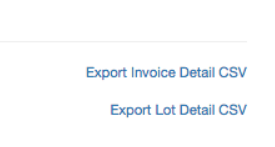
Exporting Your Data:
You have the ability to export your Invoice Detail and Lot Detail information as CSV files if you wish to store or analyze your auction data in a spreadsheet format. The links are found at the very bottom of the Close Report page.
Comments
0 comments
Please sign in to leave a comment.