
Affiliates are able to create separate logins with restricted permissions for their staff. This new type of account is called "Affiliate-User." Ideally, each staff person on your team should have a unique login for security and to aid in the accuracy of K-BID's event logs.
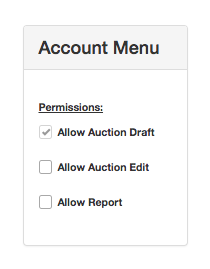
There are three levels of permission available for Affiliate-Users:
Allow Auction Draft allows the user to create and work on a draft auction ONLY. They do not have the ability to Publish the auction, edit an active auction, or access the invoices on a closed auction. The Bid Totals column on the All Auctions tab of the Dashboard is hidden.
Allow Auction Edit allows the user to perform almost all tasks related to creating and managing an auction including processing invoices and viewing the Close Report. All functions related to Sellers, including the Seller and Commission columns in the Lot List and the Seller Settlement menu option, are hidden.
Allow Report allows the user to perform all tasks and see all data that the top-level affiliate can, with the exception of managing other affiliate users.
To create an Affiliate-User:
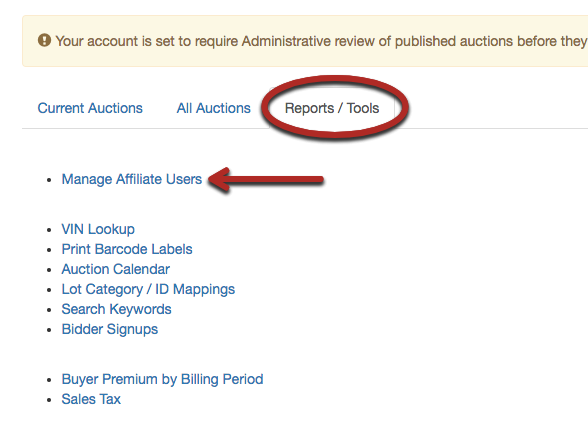
1. On the Reports/Tools tab of your Dashboard, select Manage Affiliate Users.
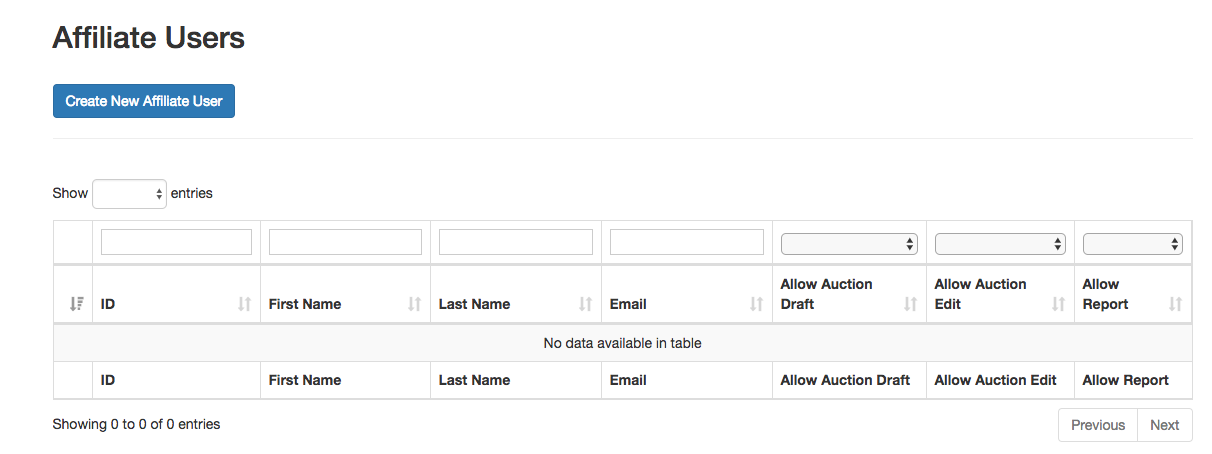
2. Click Create New Affiliate User.
3. Fill in the User Information section of the form. Each Affiliate-User must have a unique email address not attached to an existing affiliate or bidder account.
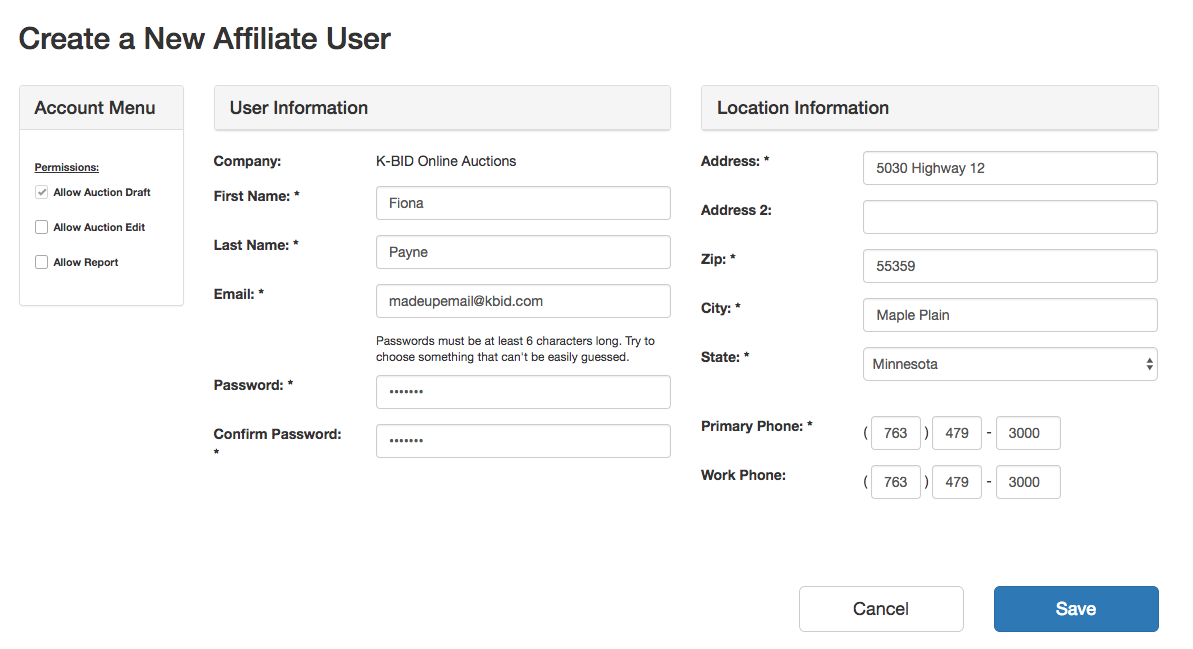
4. Select your permission levels. All Affiliate-Users are assigned "Allow Auction Draft." To assign "Allow Report" you must also select "Allow Auction Edit."
5. Click Save. The new Affiliate-User can now log in using their email address and the default password you created. We recommend the user change their password on the Account tab on their first login.
Comments
0 comments
Please sign in to leave a comment.