
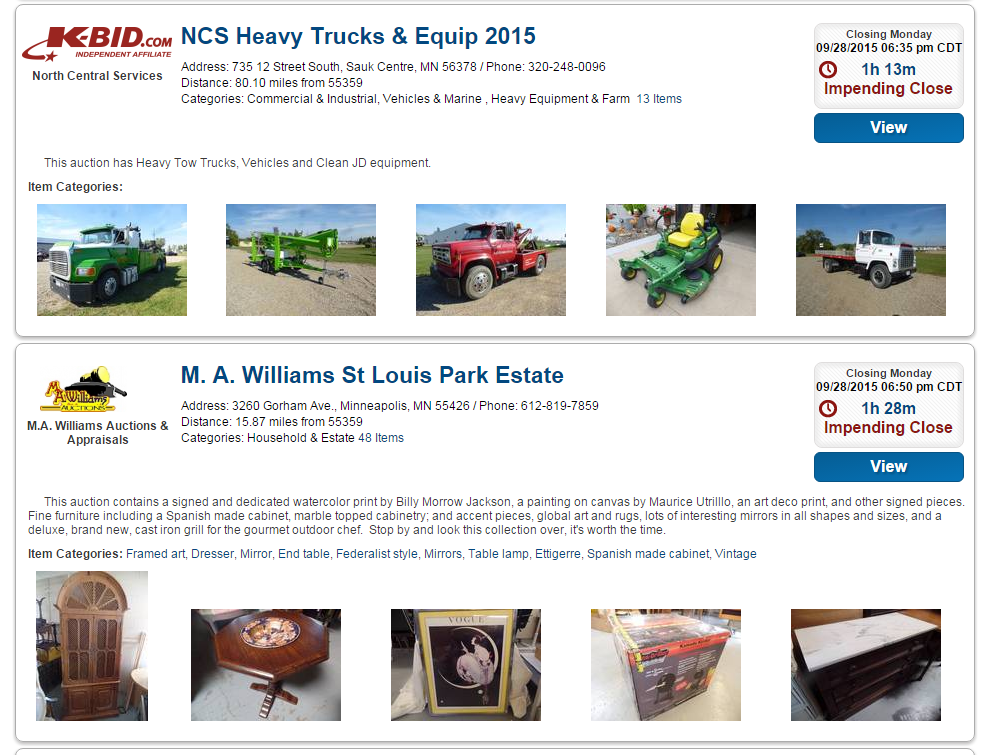
Prior to posting your auction you will want to make sure that you select up to (6) featured items for your auction. These images will be shown on the all auctions list and are the best way for you to attract bidders to your auction.
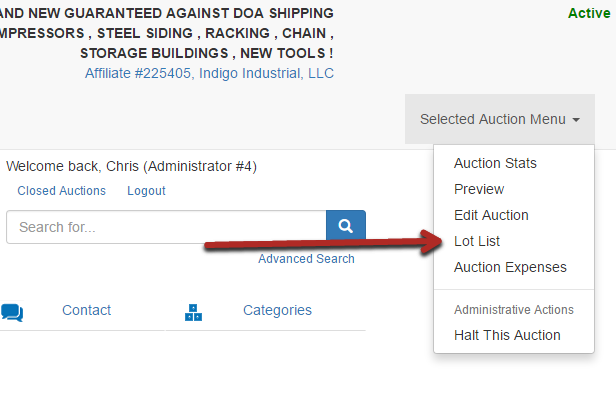
Navigate to the Lot List page within your auction.
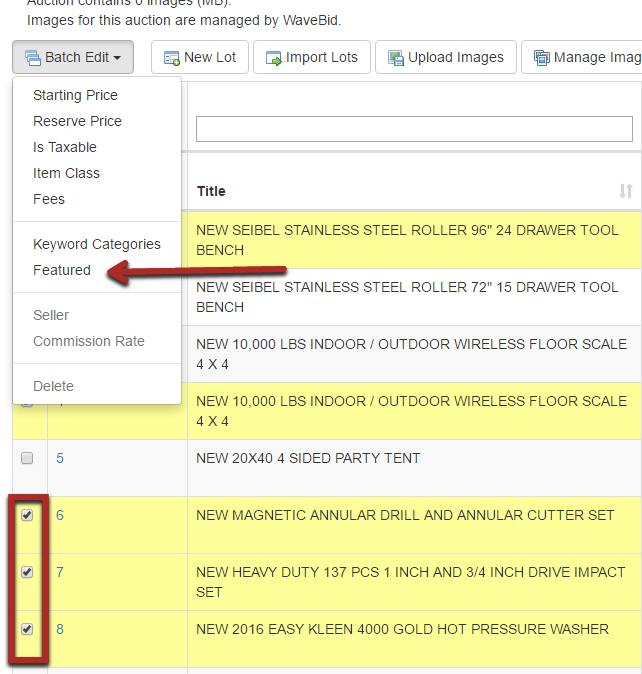
Select the check box next to the five items you wish to highlight within your auction and choose the "Featured" option within the batch edit options. Highlighted items will be denoted with a star within the lot list. You can change the highlighted items at any point within the auction by following the same procedures.
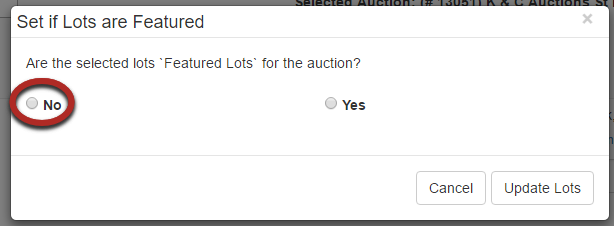
Only 6 lots can be featured at a time. If you wish to change a featured lot you will first have to de-select one of the lots that are currently featured. Follow the same process as above but change the status to "no". Once de-selected, you can now choose a new lot to feature.
Comments
0 comments
Please sign in to leave a comment.