
When K-BID is acting as Dealer of Record (DOR), Affiliates are required pay K-BID for the total fee amount collected through their BillandPay.com account. This is the same account that affiliates use to pay their BP payments. Vehicle fees are not automatically deducted from your account. The affiliate must initiate and submit an "additional payment".
Vehicle fee payments are due within 8 days of the auction close date. Completed paperwork must be received by the K-BID office within 10 days of the auction close date.
Please follow the instructions below to submit vehicle fee payments through BillandPay.com.
1. Log in to your BillandPay.com account using your credentials: https://www.billandpay.com/go/kbid
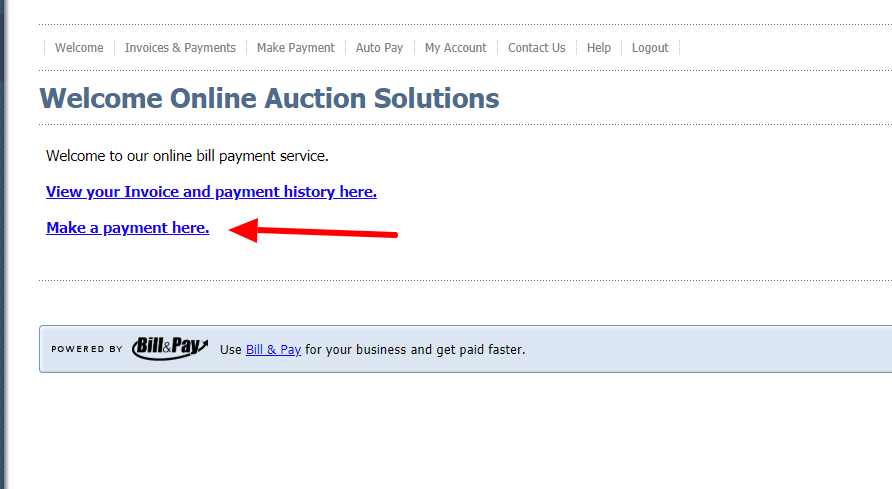
2. Select the make payment button when you log in.
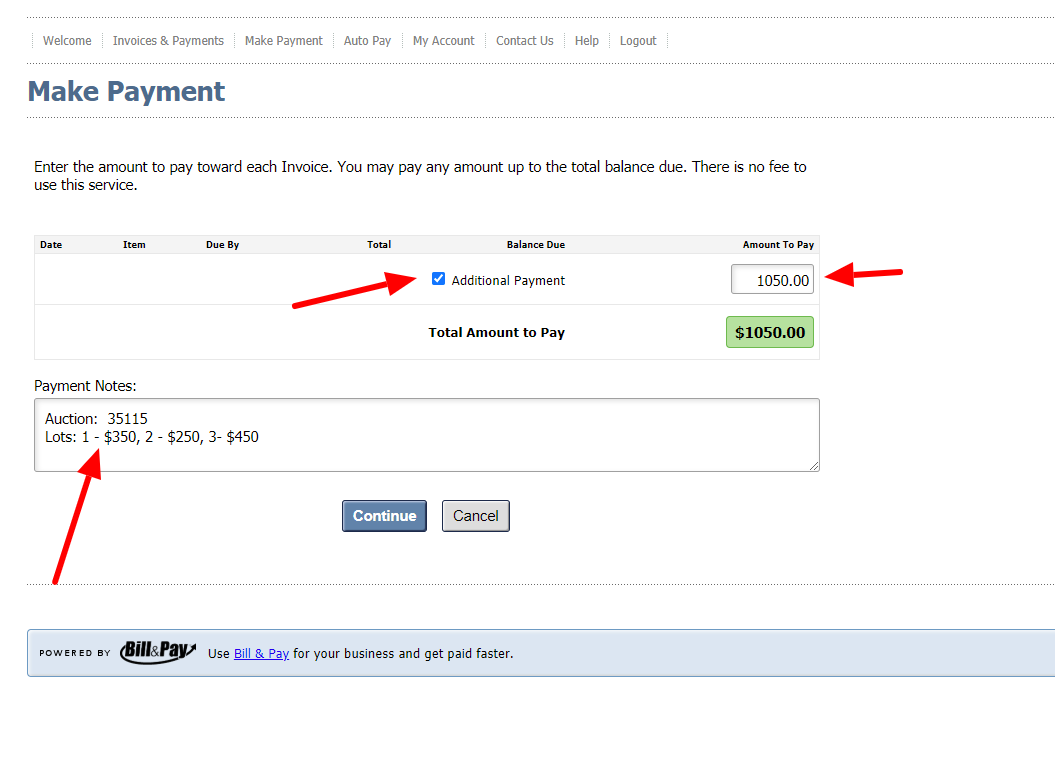
3. Select the additional payment checkbox, enter the total amount of vehicle fees collected. In the Payment Notes section, include the auction ID, lot numbers and the amount being paid.
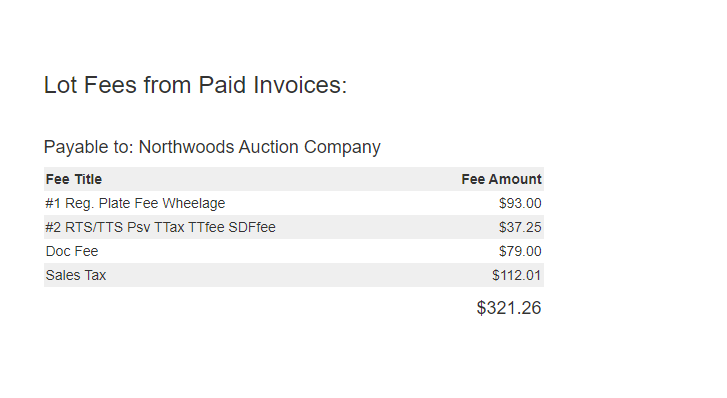
TIP: Once invoices have been processed, there will be a report on the bottom of the Close Report within your auction that shows the total amount of vehicles fees collected. Should a fee need to be adjusted (out of state buyer, dealer) please let auctionwithtitles@k-bidmail.com know prior to processing the invoice.
Comments
0 comments
Please sign in to leave a comment.