
Ready to download invoices? Watch this short training online now!
Invoice Generation
Invoices are automatically generated five minutes after the close of an auction and are available for affiliates to download. Winning bidders will be emailed a notification that a new invoice is available on their dashboard at that same time. This delay provides us time in the case that there was a widespread service interruption and the auction would need to be postponed. Automated invoices requires bidder invoices to be as accurate as possible before the close of the auction.
- Reserve amounts must be programmed in for each item before the auction is published. Winning bidders will not be named or invoiced if an item does not exceed the programmed reserve amount.
- Required fees (T/R fees, fixed loading/removal fees) should be included in each item before the close of an auction in order to provide the winning bidder an accurate invoice amount.
- Shipping and other fees that are not known at the time of the auction close can be added to an invoice before being processed. This will allow you to track expenses charged and balance the auction proceeds.
Auction Invoice Options
After an auction closes on K-BID.com, a new set of options will appear in the Auction Menu.
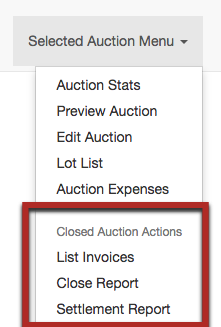
Note: on some pages, the menu may appear like this:

|
Auction Invoice Options
|
Details
|
|---|---|
| List Invoices | View, Download and Process your invoices here. |
| Close Report |
A detailed report of processed invoices for each auction. Allows you to balance processed invoices with the total amount of proceeds collected for the auction. |
| Settlement Report | Creates a settlement based on the sellers assigned within an auction. Multiple sellers with different commission rates may be used within each auction. |
Downloading Invoices
From the List Invoices page, invoices can be downloaded in bulk by choosing the Download / Print all Invoices in Auction button. Or you can download one or more specific invoices by checking the box next to the relevant invoice(s) and selecting the Create PDF button.
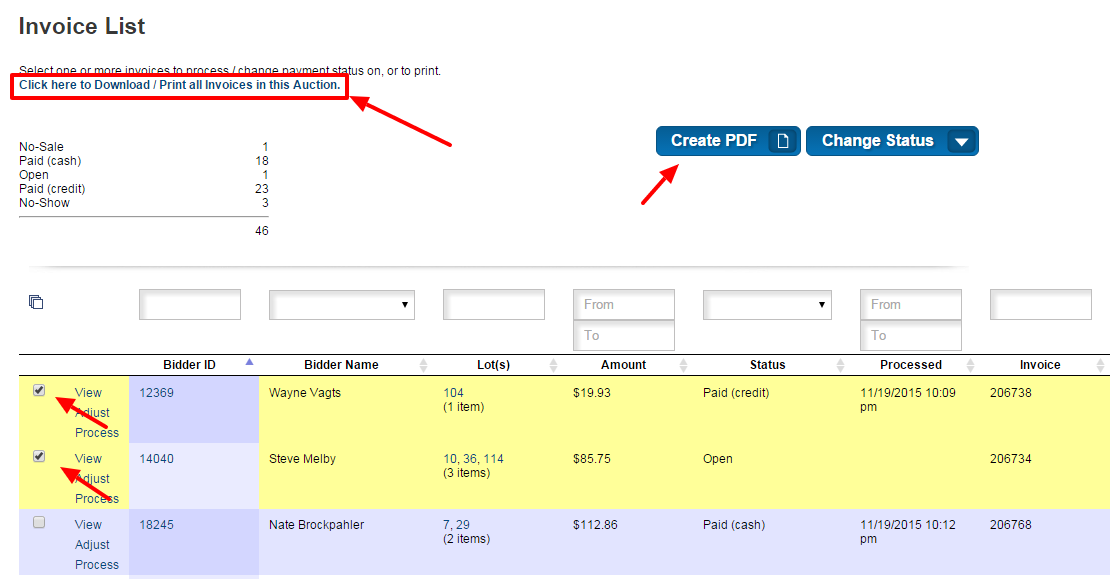
TIP: It is recommended to print off two copies of your invoices prior to the auction removal. One to give to your customer as a receipt and one for you to keep for your records.
Affiliate vs. Bidder Invoices
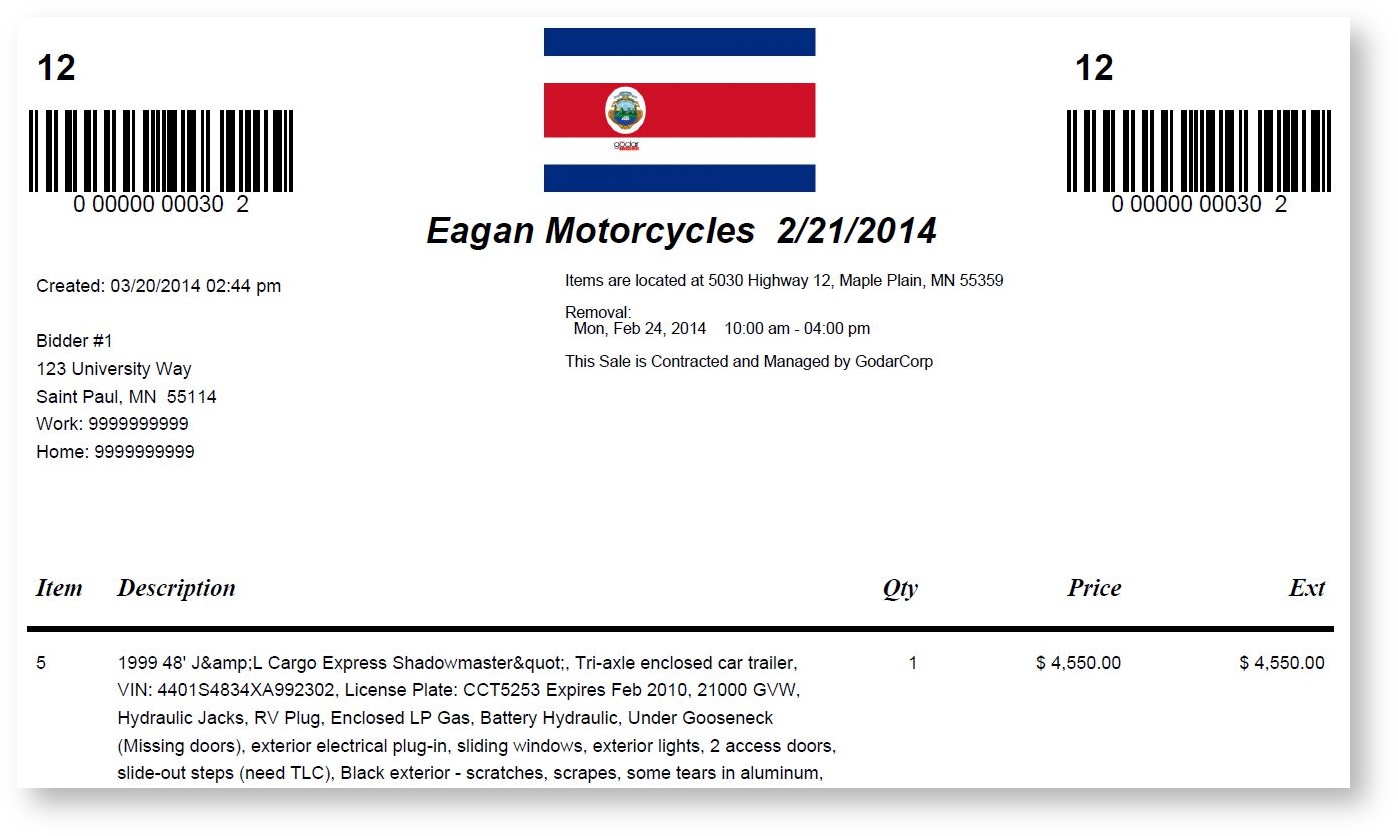
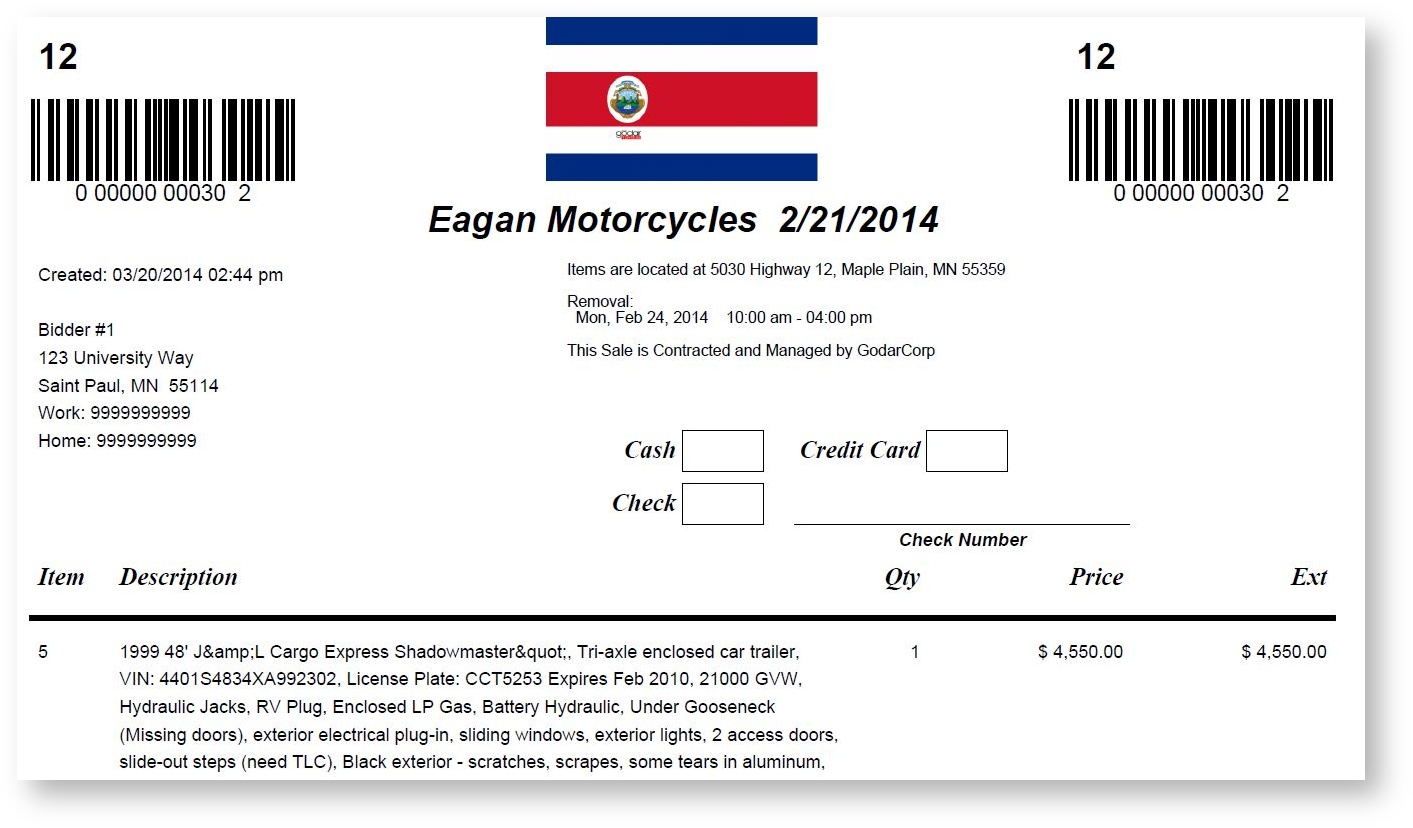
Invoices are structured in a way to make collecting payments during removal as easy as possible. There are noticeable differences between the invoice that the bidder will see on their dashboard and the affiliate version:
- Each invoice will be time stamped with a "Created" date at the time that they were uploaded. If all invoices were downloaded in bulk and at the same time, they will have the same time stamp.
- Affiliate invoices include payment boxes for cash, check and credit card. These are helpful for collecting payment information that you can transfer over when reconciling auction proceeds and closing out invoices.
Bidder Invoice
Affiliate Invoice
Comments
0 comments
Please sign in to leave a comment.