
Settlement Reports
Seller Settlement Reports can be generated after invoices have been processed and auction proceeds have been reconciled against the Close Report. Creating a Settlement Report is not required, but is a useful tool that has been made available to affiliates to help pay out consignors. Seller settlement reports will include:
- Settlement cover page.
- Auction information.
- Seller contact information.
- Paid items
- No Bid/Reserve Not Met Items
- No Sale Items
- No Show Items
- Commission rates and fees charged.
- Gross and net seller settlement amounts.
Click here to see an example of a completed Settlement Report.
How to Create a Settlement Report
Settlement reports are created after the auction has ended and invoices have been processed. Once Sellers have been created and assigned to the appropriate lots you can create a settlement report for the auction.
- Enter the auction from the dashboard and select Settlement Report.
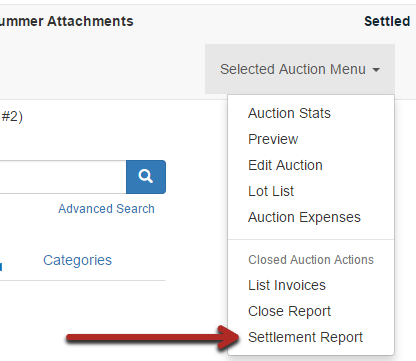
- The Settlement Report will show you what sold for each seller, less any commission rate you have assigned to that seller and/or item. Adjust as necessary according to your contract.
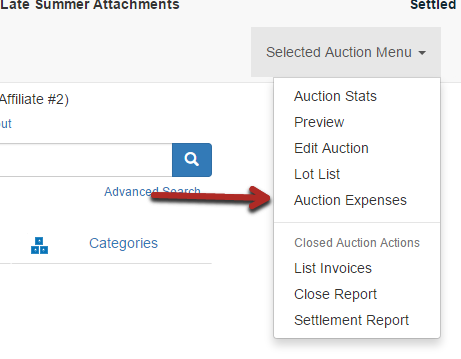
- Auction Expenses can also be added on a per seller basis.
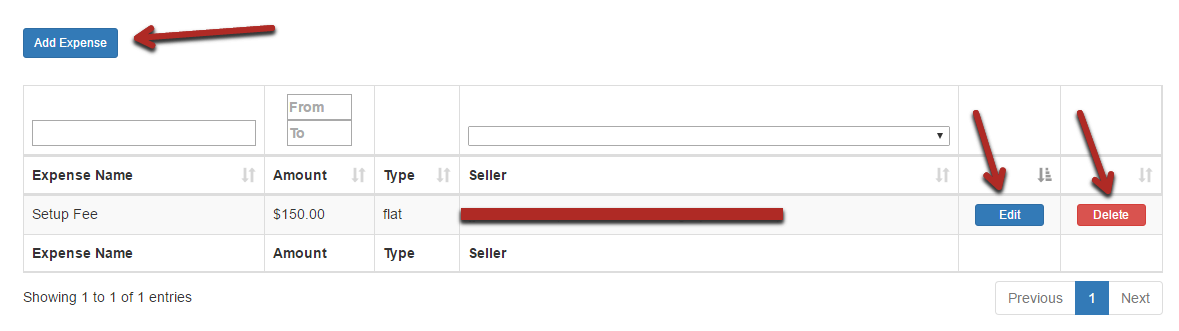
- Create a fee as a percentage or a flat rate and assign it to the appropriate seller. You can also Edit or Delete a fee as needed.
- Print off your settlement and pay your seller. Change the auction status to Settled to remind you that the auction has been completed.
Comments
0 comments
Please sign in to leave a comment.