
After creating your auction, you can start the process of creating descriptions and uploading images. This page will explain the process for uploading images manually.
- Start by navigating to the Lot List within your auction.
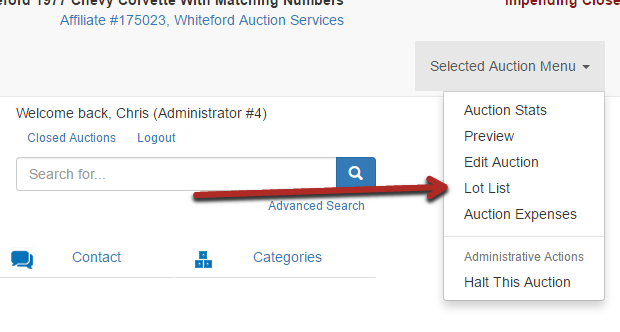
- Select the Upload Images option.

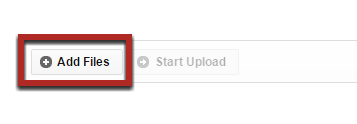
- Add Files or drag the images from your desktop into the image upload section.
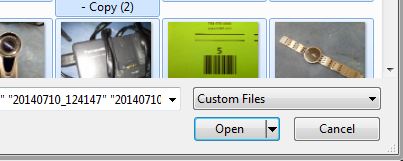
- Select the appropriate images to upload (Use CTRL - A to select all images) and hit Open.
- Select Start Upload
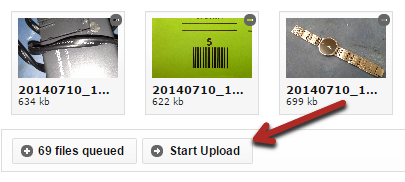
- Wait until your upload has completed and select Manage Images.
- Drag and drop each image to the correct lot. For more details on arranging images, see Managing Images After Upload.
- Use the Preview page to check the auction for any mistakes.
Repeat this process as many times as necessary until all images have been uploaded.
Comments
0 comments
Please sign in to leave a comment.